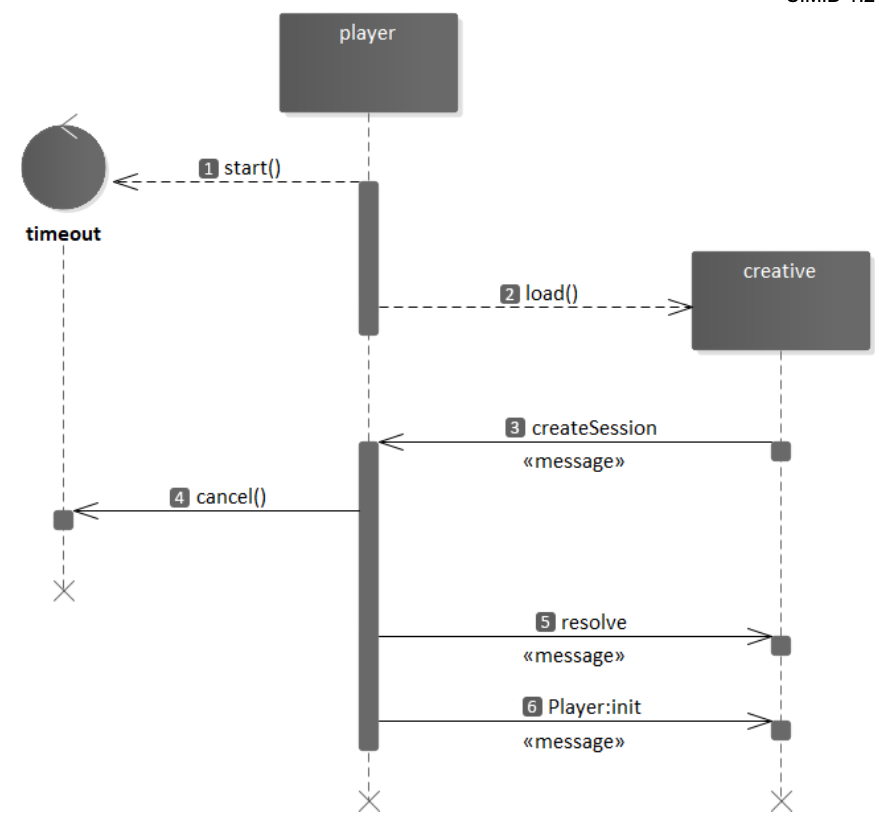
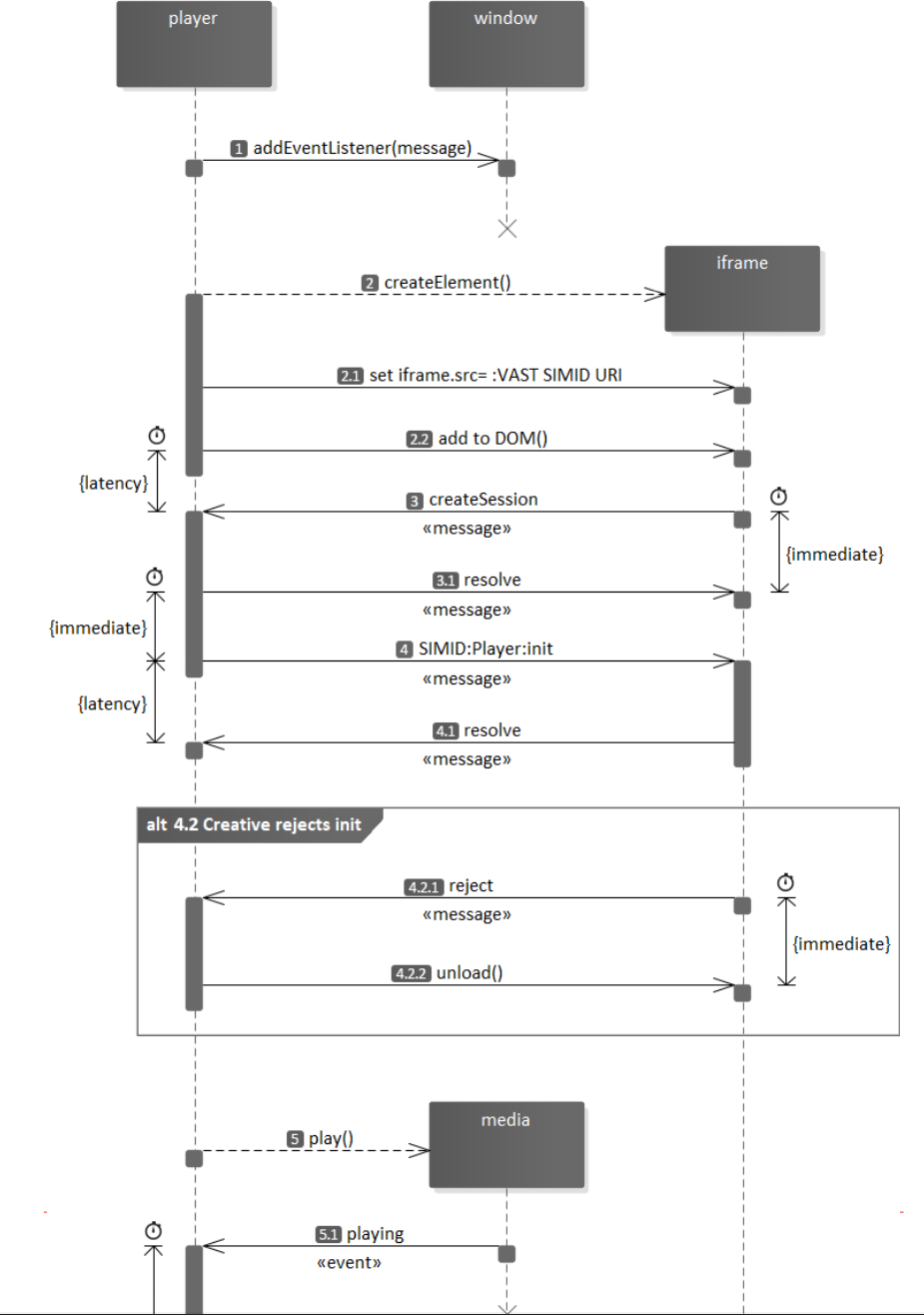
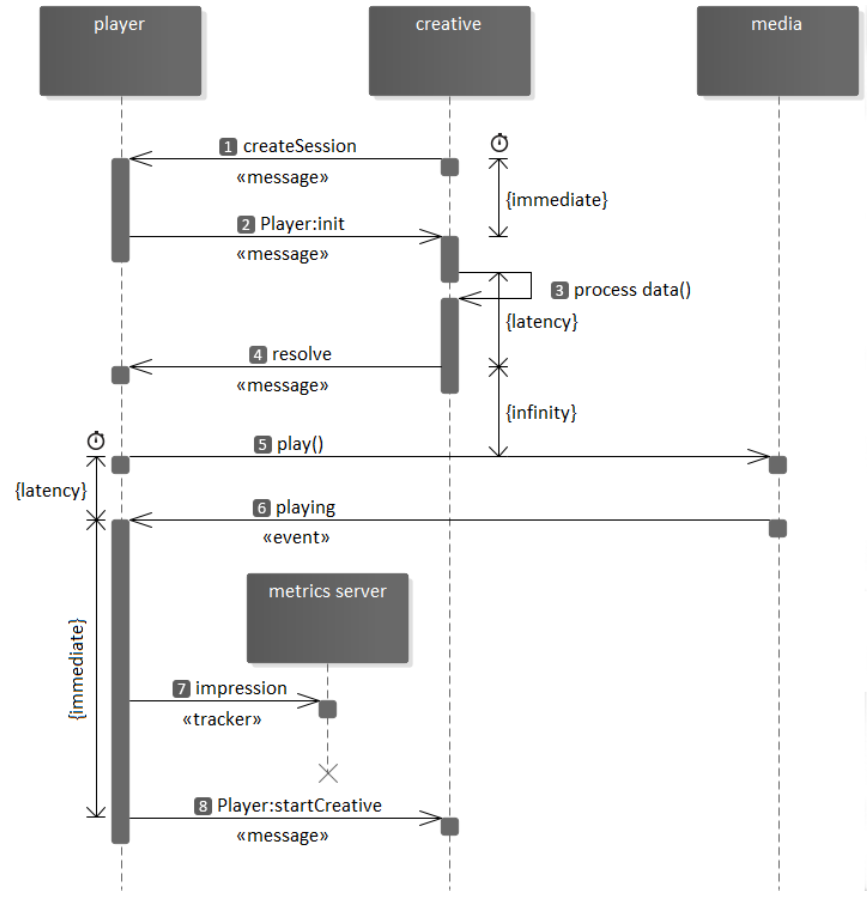
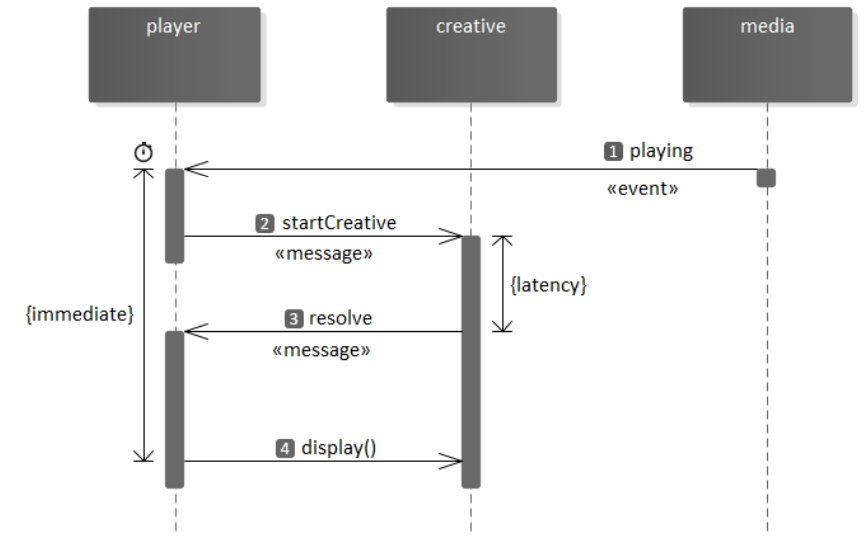
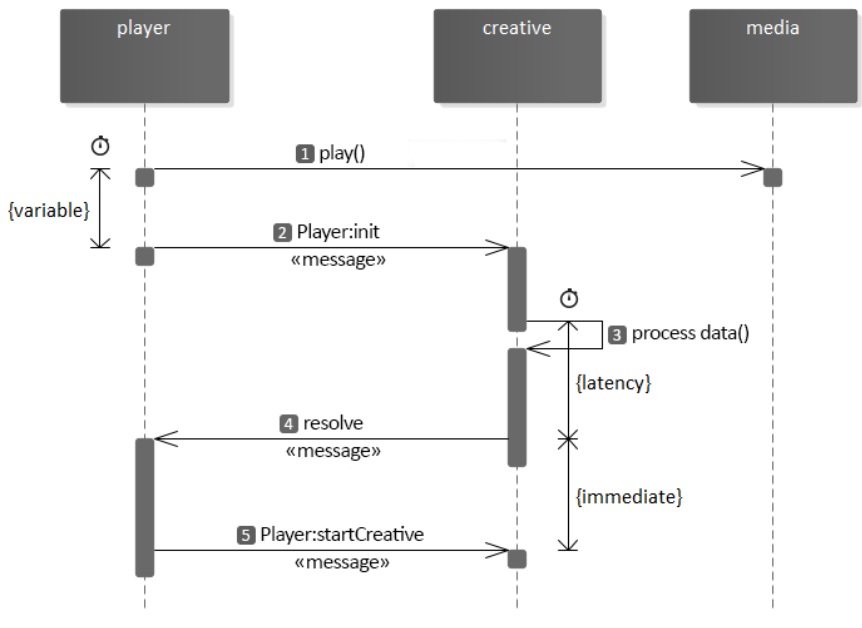
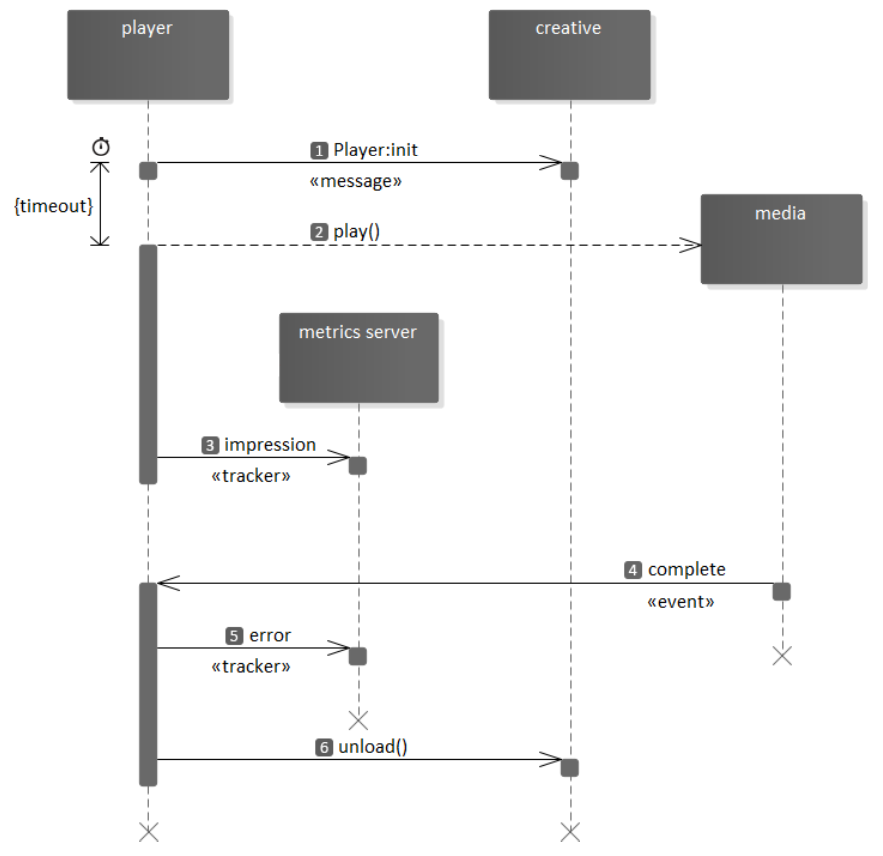
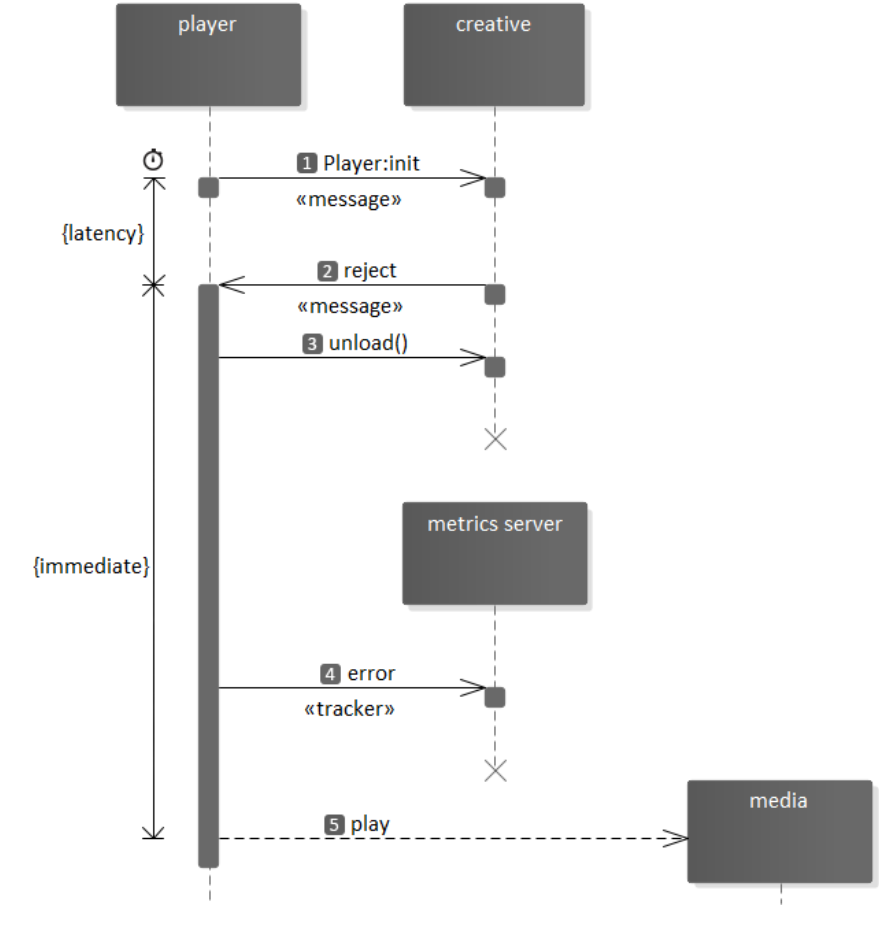
The purpose of the SIMID:player:init message is to transport data to assist with the interactive component initialization. See § 6.2 Typical Initialization WorkFlow and § 6.4 Uninterrupted Initialization WorkFlow.
The creative must respond to Player:init with either § 4.3.7.1 resolve or § 4.3.7.2 reject.
dictionary MessageArgs {
required EnvironmentData environmentData;
required CreativeData creativeData;
};
environmentData,
Information about publisher’s environment and media player capacities.
creativeData,
Information that pertains to the specific creative.
dictionary CreativeData {
required DOMString adParameters;
DOMString clickThruUrl;
};
adParameters,
Typically, the value of VAST node.
clickThruUrl,
Value of VAST node.
dictionary EnvironmentData {
required Dimensions videoDimensions;
required Dimensions creativeDimensions;
required boolean fullscreen;
required boolean fullscreenAllowed;
required boolean variableDurationAllowed;
required SkippableState skippableState;
DOMString skipoffset;
required DOMString version;
DOMString siteUrl;
DOMString appId;
DOMString useragent;
DOMString deviceId;
boolean muted;
float volume;
NavigationSupport navigationSupport;
CloseButtonSupport closeButtonSupport;
float nonlinearDuration;
};
dictionary Dimensions {
required long x;
required long y;
required long width;
required long height;
};
enum SkippableState {"playerHandles", "adHandles", "notSkippable"};
enum NavigationSupport {"adHandles", "playerHandles", "notSupported"};
enum CloseButtonSupport {"adHandles", "playerHandles"};
videoDimensions,
Communicates media element coordinates and size. -1 indicates an unknown value.
creativeDimensions,
Communicates creative iframe coordinates and size the player will set when iframe becomes visible. The value of -1 indicates an unknown value, such as when responsive dimensions are dependent on the environment.
fullscreen,
The value true indicates that the player is currently in fullscreen mode. fullscreenAllowed,
Communicates the player’s capacity to toggle screen modes.
- The value true indicates that creative may request screen mode change.
- The value false denotes that the player will reject calls to change screen mode.*
variableDurationAllowed,
Communicates player’s capacities† to:
a. interrupt ad playback progress – the ability to pause the media;
b. extend ad user experience length beyond ad media duration after ad playback completion;
c. accommodate creative’s ad stop request.
The value true asserts that the player can:
- pause media playback in response to creative’s requests;
- extend ad experience after media playback completion (and abstaining from ad unloading) if the creative posts ad duration change instructions;
- accommodate creative’s ad stop request.‡
skippableState,
Expresses:
a. player’s ability to skip the ad;†
b. VAST skippability-associated instructions logic management;
c. Skip Ad button handling delegation.
The value playerHandles indicates that all of the following applies:
- the publisher controls skippability logic (including handling of VAST skipoffset directives);
- either VAST contains skipoffset or the skippability is the publisher-administered behavior;
- the player implements the Skip Ad button;
- the player will ignore skip requests from the creative.
The value adHandles signals that the player:
- can skip the ad;
- does not implement internal Skip Ad button;
- disregards VAST skippability directives;
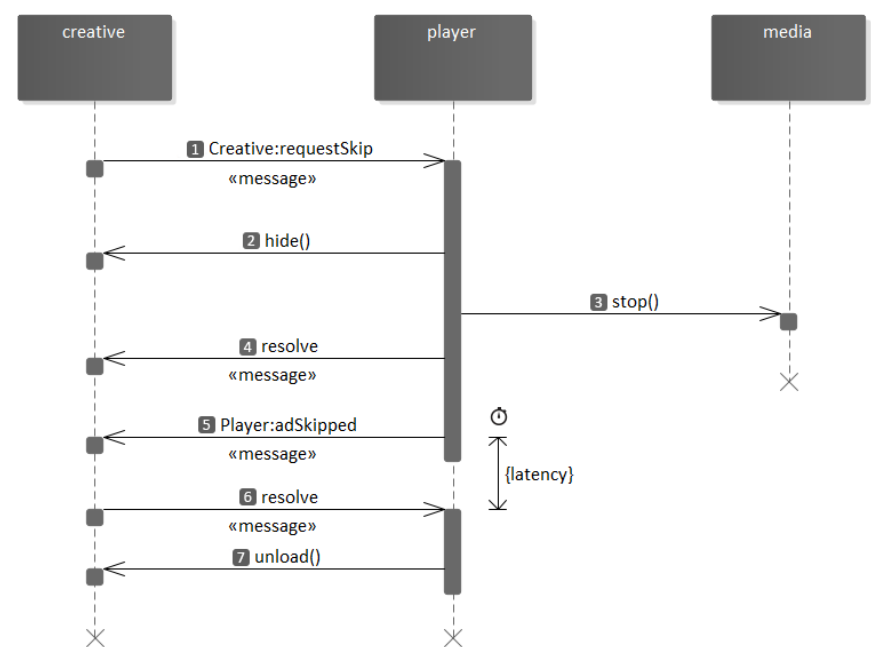
- will skip the ad in response to § 4.4.16 SIMID:Creative:requestSkip message.§
The value notSkippable declares that the player:
- cannot skip the ad;
- ignores VAST skippability instructions;
- will disregard skip request from the creative.
With both playerHandles and notSkippable, the creative avoids the Skip Ad button drawing.
skipoffset,
Optional parameter that communicates the time the ad becomes skippable for the current session.
The skipoffset value format is "HH:MM:SS" or "HH:MM:SS.mmm".
The value can differ from the skipoffset in the VAST response when the player controls skippability. If the parameter’s skippableState value is "adHandles", the creative must display the Skip Ad button when media playback arrives at the time specified by the skipoffset parameter.
version,
The SIMID version the player implements.
muted,
true if the player § is muted.◊
volume, player’s § volume – expressed as a number between 0 and 1.0.
siteUrl,
The URI of the publisher’s site. May be full or partial URL.
appId,
The ID of the mobile app, if applicable.
useragent,
The information about SDKs as well as the player’s vendor and version. The value should comply with VAST-specified conventions.
deviceId,
IDFA or AAID
NavigationSupport,
Indicates how clickthroughs should be handled.
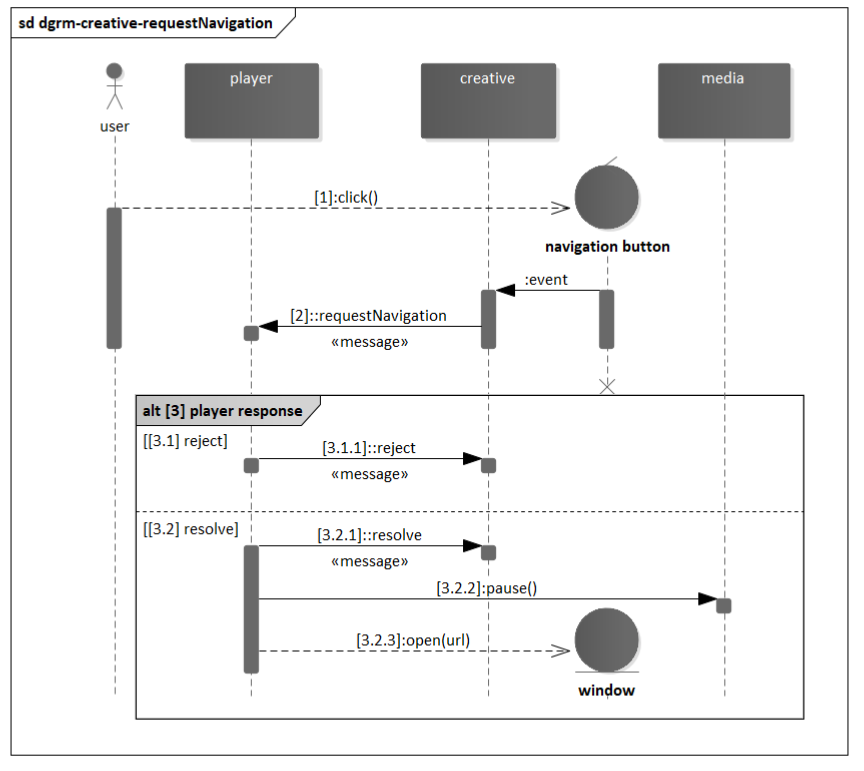
- playerHandles Indicates that because of the platform, the player should handle clickthrough via § 4.4.12 SIMID:Creative:requestNavigation. Mobile platforms are often this way.
- adHandles Indicates that the creative should open tabs or windows in response to user clicks. Web platforms are often this way.
- notSupported The platform does not support clickthrough.
CloseButtonSupport,
Indicates what should render a close button for nonlinear ads.
- playerHandles Indicates the player will render a close button for nonlinear ads.
- adHandles Indicates that the creative may render a close button. If the player will not render a close button it should always use adHandles for this parameter.
nonlinearDuration,
The duration in seconds that a nonlinear ad will play for. Often, this might be the same as minSuggestedDuration from the VAST response or the duration of the content.
- see § 4.4.10 SIMID:Creative:requestFullscreen and § 4.4.11 SIMID:Creative:requestExitFullscreen messages.
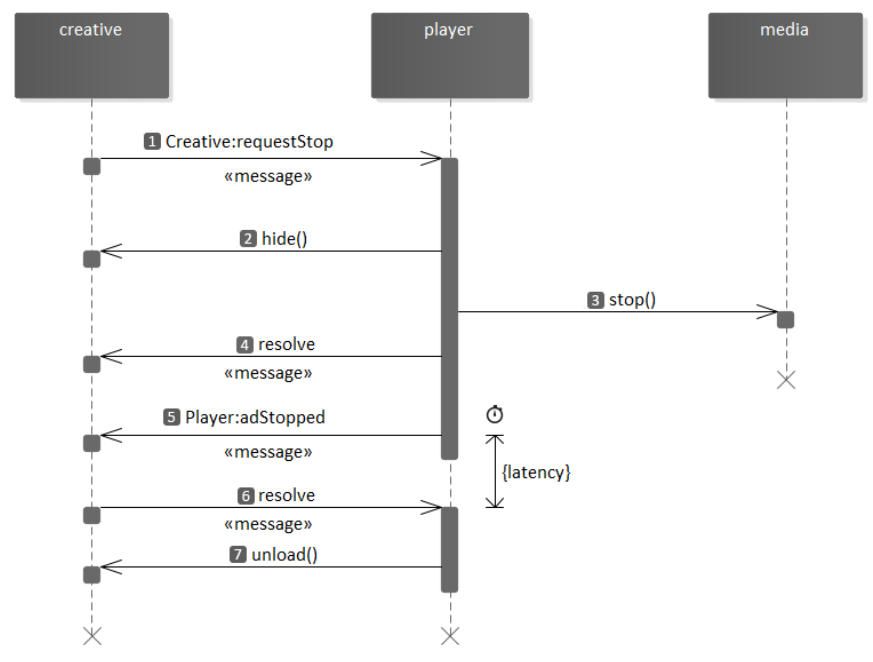
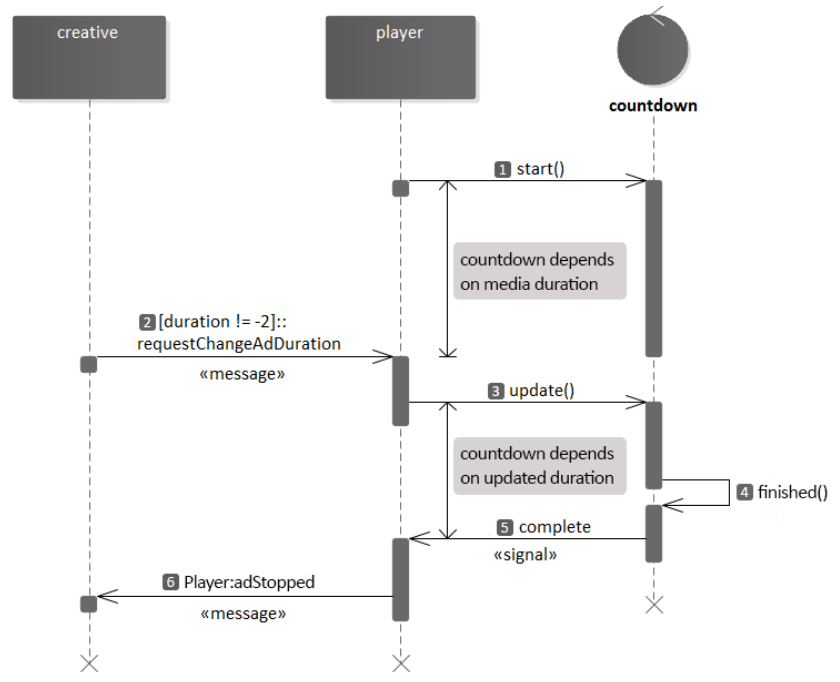
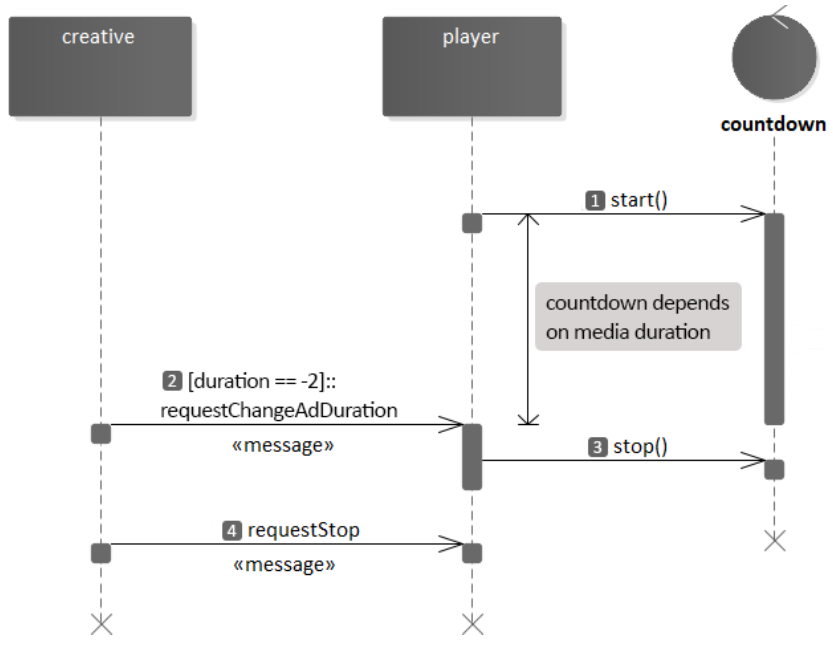
In SSAI, live broadcast, and other time-constrained environments, the player must support uninterrupted media (both content and ads) playback progress. Specifically, the player may not be able to pause the media, shorten ad, or extend user ad experience. see § 4.4.13 SIMID:Creative:requestPause, § 4.4.14 SIMID:Creative:requestPlay, § 4.4.8 SIMID:Creative:requestChangeAdDuration, and § 4.4.17 SIMID:Creative:requestStop.
SIMID does not expect device audio state information.
Values of muted and volume are independent. While the player is muted, volume can be greater than zero; the volume zero does not mean the player is muted.